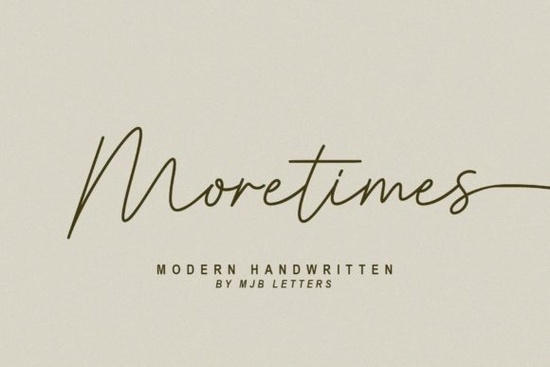
If you’re looking for a handwritten font that feels both modern and effortlessly natural, Moretimes Font might be exactly what your next project needs. It’s not overly decorative or hard to read just clean, elegant lettering with enough personality to stand out. Whether you’re designing wedding invitations, custom logos, or even merch for your Etsy shop, this font adapts without losing its charm.
What makes it especially useful is that every uppercase and lowercase letter comes with an alternate version. That means you can mix and match glyphs to create more organic, handcrafted-looking text no two lines have to look the same unless you want them to. And because it’s PUA encoded, accessing those alternates, swashes, and special characters is straightforward in most design software. No digging through glyph panels or installing extra files.
Who should use Moretimes Font?
This font works well for anyone who wants their designs to feel personal but polished. Small business owners creating branded packaging, crafters making vinyl decals or heat-transfer shirts, and print-on-demand sellers building mockups will all find it flexible. It’s also great for bloggers or social media creators who want to add custom quote graphics without hiring a designer.
If you’ve liked fonts like Jelly Cat or Amelline for their soft, flowing style, Moretimes sits comfortably in that same family but with a slightly cleaner edge. It doesn’t scream “script font”; instead, it whispers elegance.
How do I access the alternates and swashes?
Since Moretimes is PUA encoded, you don’t need plugins or complicated workflows. In apps like Adobe Illustrator, Photoshop, or even Canva (with Pro), you can open the Glyphs panel and scroll through available alternates. Some programs like Affinity Designer let you toggle stylistic sets directly from the character menu. If you’re using Silhouette Studio or Cricut Design Space, make sure you’re on the latest version they now support OpenType features better than before.
- Open your design app and select the text layer.
- Choose “Moretimes” from your font list.
- Look for “Glyphs,” “Alternates,” or “Stylistic Sets” in your typography panel.
- Click or hover over letters to preview and swap variants.
Pro tip: Use alternates sparingly. Swapping every other letter can make your text feel chaotic. Instead, focus on the first and last letters of words, or key initials, to keep things balanced.
What kinds of projects does it work best for?
You’ll get the most out of Moretimes when you’re aiming for warmth and approachability. Think:
- Wedding stationery place cards, menus, save-the-dates
- Branding elements boutique logos, boutique packaging, boutique social posts
- Quotes and affirmations printable wall art, Instagram stories, journal headers
- Fashion and lifestyle tote bags, apparel tags, boutique watermarks
It pairs beautifully with minimalist sans-serifs for contrast. Try setting body text in something neutral like Montserrat or Lato, then letting Moretimes handle headlines or accents. You can also layer it subtly as a watermark behind product photos its thin strokes won’t overpower your image.
If you’re exploring similar styles, check out Nagita for something bolder, or Pinky if you want tighter spacing and a more compact feel. For something playful with bounce, Mighty Sunday is worth a look too.
And if you want to see how others are using it or grab inspiration, you can browse examples of Moretimes Font directly on Creative Fabrica.
Any limitations I should know about?
Like most script fonts, Moretimes isn’t ideal for long paragraphs or tiny sizes. The alternates and flow work best at medium to large scales think 24pt and up for print, or headlines in digital layouts. Also, while it supports basic Latin characters, extended language support may vary, so double-check if you’re typesetting in non-English languages.
It’s also not monoline some strokes vary slightly in weight, which adds to its handmade appeal but means it won’t suit ultra-modern, geometric branding. That’s not a flaw, just a style boundary. Know what vibe you’re going for, and this font will deliver.
Quick checklist before you start:
- ✅ Test readability at your intended size zoom out to 100% on screen.
- ✅ Mix alternates thoughtfully less is often more.
- ✅ Pair with a simple sans-serif for balance.
- ✅ Avoid using in all caps the lowercase alternates are where the magic happens.
- ✅ Check licensing commercial use is usually included, but confirm for your specific project type.
Start small. Try it on a single word or name first. See how it feels. Sometimes the right font doesn’t announce itself it just fits.
Download Now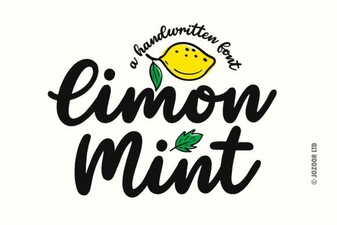 Limon Mint Font: Your Design's Creative Spark
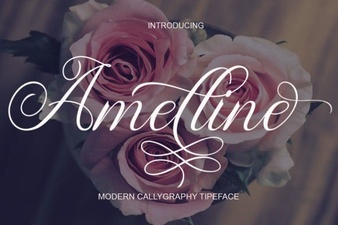 Amelline: a Fresh Font for Modern Design
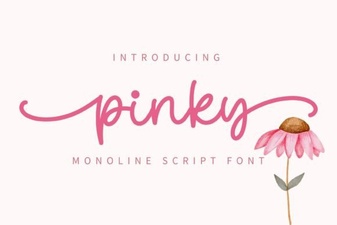 Pinky Font: Elegant Script for Creative Projects
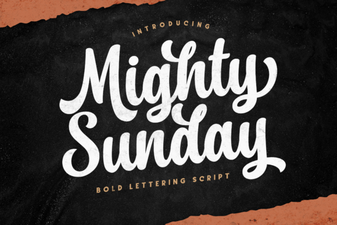 Mighty Sunday: Design Ideas & Projects
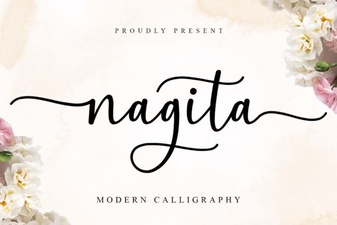 Nagita Font: Creative Typography & Design Ideas
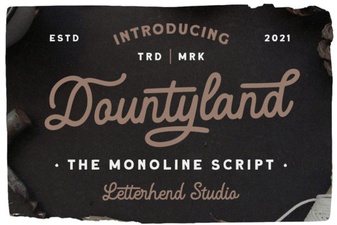 The Dountyland Font for Unique Creative Projects