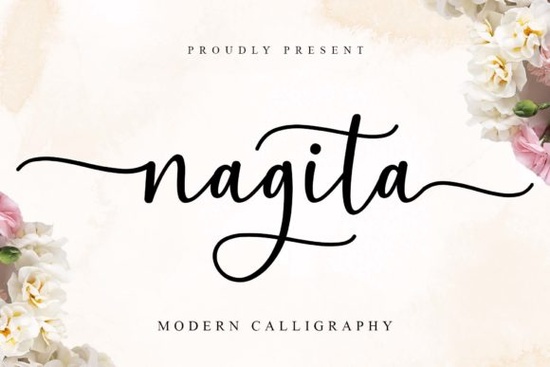
If you’re looking for a script font that feels personal, elegant, and just a little whimsical, the Nagita Font might be exactly what your next project needs. It’s especially great if you’re designing wedding invitations, branding materials, or anything with a soft, romantic vibe. The delicate swashes at the beginning and end of letters give it charm without being overdone and because it’s PUA encoded, you won’t need to dig through complicated menus to find those pretty alternates and ligatures.
What makes Nagita different from other script fonts?
It’s not just another pretty script. Nagita includes a generous set of alternate characters and ligatures, so even if you type the same word twice, you can make it look completely different. That’s super helpful when you’re layering text or trying to avoid repetition in logos or packaging. Plus, the swashes aren’t forced they feel natural and balanced, which is something you don’t always get with decorative fonts.
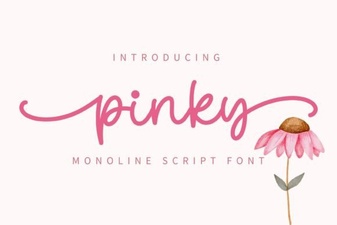
If you’ve used Pinky or Mighty Sunday before, you’ll notice Nagita sits somewhere between them in tone softer than Mighty Sunday but more structured than Pinky. It also pairs well with cleaner sans-serifs if you’re building a full brand identity.
Who should use this font?
This one’s ideal if you’re:
- Designing wedding stationery or event signage
- Running a small business that leans into farmhouse, cottagecore, or boho aesthetics
- Creating digital products like SVG files, printable art, or Canva templates
- Working on fashion branding, boutique packaging, or logo design
- Just someone who loves handwritten-style fonts for personal projects
Because it’s PUA encoded, crafters using Cricut or Silhouette machines will have an easier time accessing all the special characters. No extra plugins or font managers needed just install and start typing.
How do I access all the swashes and alternates?
Since Nagita is PUA encoded, most modern design software (like Adobe Illustrator, Photoshop, Affinity, or even Canva Pro) will let you browse through stylistic sets or glyph panels to pick the version of each letter you want. In programs like Word or basic editors, you’ll still get the default style which is lovely on its own but to unlock the full potential, you’ll want to use design-specific tools.
A quick tip: try pairing uppercase letters with lowercase swash endings for contrast. Or mix in some of the simpler alternates if you’re worried about readability at smaller sizes.
What kinds of projects does Nagita work best for?
You’ll see this font shine in:
- Wedding invites especially for names, dates, or quotes
- Farmhouse signs think wood-burned quotes or chalkboard menus
- Logo mockups for boutiques, bakeries, florists, or handmade brands
- Silhouette designs where clean lines and flowing curves matter
- Website headers as long as it’s used sparingly and at large sizes
It’s not the best choice for body text or tiny labels like any script font with flair, it needs space to breathe. But for headlines, accents, or short phrases? Perfect.
How does it compare to similar fonts?
If you’re browsing Creative Fabrica’s script collection, you might also like Moretimes for something bolder, or Limon Mint if you want a slightly more casual, brush-pen feel. For ultra-playful vibes, Dountyland is fun but Nagita sits in that sweet spot between polished and personable.
One thing Nagita does better than many others? Consistency. The weight and spacing stay even across characters, so your designs won’t look lopsided or uneven unless you intentionally style them that way.
Any tips before you download?
Before you grab it, think about how you’ll use it. If you’re planning a big branding project, test it at different sizes first. Print a sample if you can sometimes what looks gorgeous on screen doesn’t translate perfectly to paper or vinyl.
Also, check your software. While most apps support PUA now, older versions or mobile editors might not show all the glyphs. Nothing’s broken you’ll just see the standard version instead of the fancy swash.
Pro tip: Save a cheat sheet of your favorite alternates. Once you find combinations you love (maybe “love” with a trailing swash, or “&” with a loop), note them down so you don’t have to hunt again next time.
Ready to try it?
If Nagita fits your style, you can find it here: Nagita. It’s part of Creative Fabrica’s subscription, so if you already have access, go ahead and install it. If not, their trial often includes enough credits to grab this plus a few extras to play with.
Next step: Open your design app, type out a few words in Nagita, and toggle through the alternates. See how it feels. Sometimes the right font just clicks and this one might be yours.
Explore Design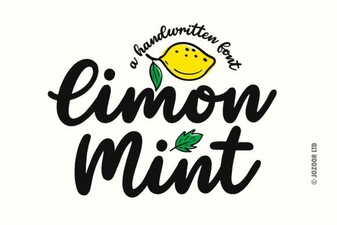 Limon Mint Font: Your Design's Creative Spark
 Amelline: a Fresh Font for Modern Design
 Pinky Font: Elegant Script for Creative Projects
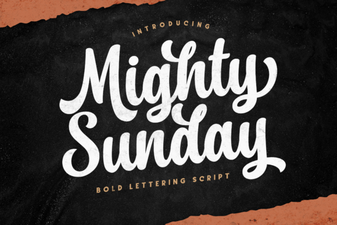 Mighty Sunday: Design Ideas & Projects
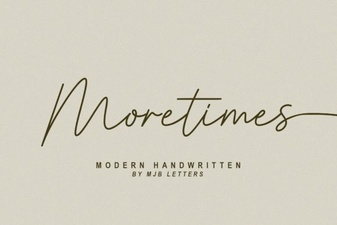 Download the Moretimes Font for Creative Projects
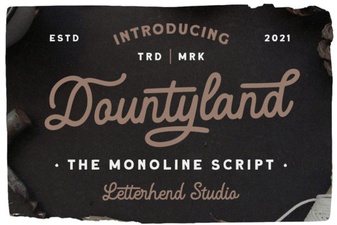 The Dountyland Font for Unique Creative Projects