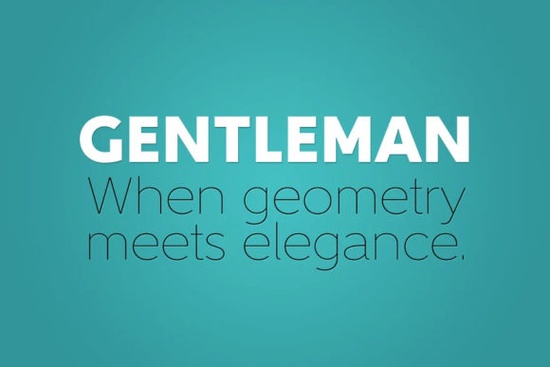
If you’ve been searching for a clean, modern sans serif that still feels warm and human, the Gentleman Font might be exactly what your next project needs. Designed by Juraj Chrastina, this typeface family blends geometric structure with subtle organic touches making it both legible and full of personality. Whether you’re designing logos, packaging, social media graphics, or print-on-demand products, Gentleman adapts well across weights and contexts.
What makes Gentleman different from other geometric sans serifs?
Many geometric fonts feel rigid or overly mechanical think circles, straight lines, and uniform strokes. Gentleman starts with those same elementary shapes but introduces thoughtful tweaks to keep things friendly. For example, letters like a, d, l, and p have outstroke terminals that add a slight flourish without breaking the minimalist vibe. The uppercase G drops its crossbar entirely, giving it a distinctive silhouette. These aren’t gimmicks they’re quiet design choices that help the font stand out in headlines or branding without shouting.
Another smart move: consistent x-height across all ten weights. That means even when you switch from Hairline to Black, readability stays strong. This is especially useful if you’re layering text styles or working on responsive designs where scaling matters.
Who should use Gentleman Font?
- Print-on-demand sellers Its clean lines look sharp on t-shirts, mugs, and tote bags, while the subtle quirks give designs character.
- Small business owners Use it for logos, menus, or signage. It’s professional but not sterile.
- Crafters and hobbyists Easy to pair with script fonts or decorative elements for greeting cards, stickers, or wall art.
- Graphic designers With 10 weights and fine-tuned kerning, it’s ready for editorial layouts, posters, or web mockups.
If you’ve also looked at fonts like UrbanShock, you’ll notice Gentleman offers a softer alternative less industrial, more approachable. And if you’re exploring similar options, check out our collection of sans serif fonts that balance structure with warmth.
How does it perform in real-world use?
Gentleman holds up beautifully at small sizes thanks to its generous proportions and low-contrast construction even in heavier weights. That’s rare. Often, bold geometric fonts become muddy or lose definition when scaled down. Not here. You can confidently use Black weight for subheadings or captions without losing clarity.
The kerning tables are carefully adjusted, which saves you time manually spacing letter pairs. If you’ve ever wrestled with awkward gaps between “AV” or “To,” you’ll appreciate how smoothly Gentleman flows right out of the box.
It also plays nicely with imagery. Whether you’re overlaying text on photos, using it alongside illustrations, or pairing it with handwritten accents, Gentleman doesn’t fight for attention it complements.
Any tips for pairing it with other fonts?
Yes. Because Gentleman has just enough personality, avoid pairing it with fonts that are too ornate or quirky. Instead, try:
- A simple serif (like Georgia or Merriweather) for body text lets Gentleman shine as a display face.
- A monospaced font for techy or coding-themed projects creates an interesting contrast in rhythm.
- A soft script for wedding invites or boutique branding balances its geometry with fluidity.
Don’t force pairings. Sometimes, sticking with one or two weights of Gentleman across a layout gives you all the hierarchy you need.
Is it worth buying over free alternatives?
If you’re serious about your work yes. Free geometric sans fonts often lack proper kerning, multiple weights, or licensing flexibility. Gentleman includes 10 weights, commercial use rights, and was clearly crafted with care. For under $20 (often less during Creative Fabrica sales), it’s a solid investment for anyone creating client work, selling products, or building a brand.
You can preview and license it directly here: Gentleman Font.
Quick checklist before you download:
- Check your license Make sure it covers your intended use (personal, commercial, POD, etc.).
- Test the weights Download samples or previews to see how Thin vs. Black looks in your layout.
- Pair wisely Don’t overcrowd. Let Gentleman’s details breathe.
- Save style combos Once you find a winning weight + size combo, document it for future projects.
Start simple. Pick one weight. Use it in a headline. See how it feels. Gentleman doesn’t need to be loud to make an impression sometimes, quiet confidence speaks loudest.
Explore Design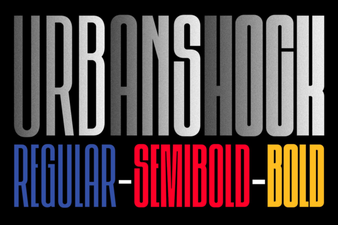 The Urbanshock Font for Bold Digital Design
 Free Flame Fonts for Dynamic Designs
 Perfect Fonts for Breakfast Pastry Recipes
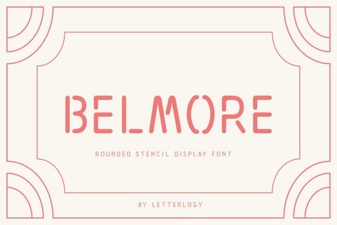 Belmore Font for Modern Creative Projects
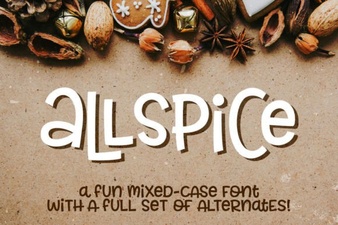 Allspice Font: Creative Typography for Design Projects
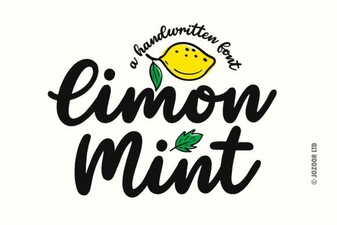 Limon Mint Font: Your Design's Creative Spark