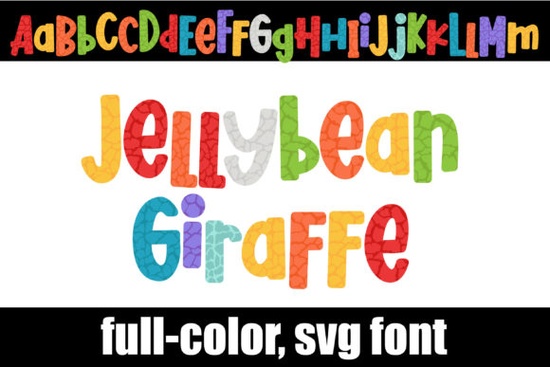
If you’re looking for a playful, eye-catching typeface that brings instant charm to your projects, the Jellybean Giraffe Font is worth a closer look. It’s not your average alphabet each letter is designed with a whimsical giraffe pattern dressed in a candy-colored palette. Whether you’re designing kids’ party invites, crafting personalized gifts, or creating fun merch for print-on-demand shops, this font adds personality without needing extra graphics.
The set includes both uppercase and lowercase letters, plus alternate characters you can find using your system’s character map. That means you can mix and match styles within the same word for even more visual interest. Think of it like having two fonts in one great for when you want subtle variety without switching typefaces.
What programs actually work with this font?
Because this is a full-color SVG font (sometimes called an OpenType color font), compatibility matters. These fonts install just like regular .otf files through FontBook on Mac or your Control Panel or font manager on Windows but they won’t show their colors everywhere.
In many apps, especially older ones, you’ll see the letters appear black during selection or preview. Don’t panic once you start typing on your canvas, if the program supports color fonts, the vibrant jellybean hues and giraffe textures will pop right up. Here’s where it works well:
- Adobe apps like Illustrator, Photoshop, and InDesign (CC 2018 and later)
- Silhouette Studio (Business Edition or higher)
- Inkscape (version 1.0+)
- QuarkXPress (2018 and newer)
A quick heads-up: if you use Cricut Design Space, this font won’t behave as expected. The OTF and TTF versions included aren’t compatible with Cricut’s system, so avoid downloading it thinking you’ll cut these directly on your machine. You can still use it by exporting your design as an image or vector from a supported app first.
Who should consider using this font?
This isn’t a corporate serif or minimalist sans-serif it’s made for fun, creativity, and bold expression. You’ll get the most out of it if you’re:
- Designing children’s books, classroom materials, or educational printables
- Running a small Etsy shop selling birthday shirts, mugs, or tote bags
- Creating social media graphics for kid-focused brands or playful campaigns
- Making scrapbook layouts, stickers, or planner elements with a cheerful vibe
It’s also surprisingly versatile. Pair it with clean, simple fonts for contrast imagine “Happy Birthday” in Jellybean Giraffe Font with the date underneath in a thin sans. Instant balance. Or go all-in for a maximalist poster or wall art piece. The texture and color do the heavy lifting, so you don’t need to add much else.
How do I access those alternate characters?
Once installed, open any compatible program and select the font. Then, instead of just typing, open your system’s character map (Character Viewer on Mac, Character Map app on Windows) or use your design software’s glyph panel. You’ll see the standard letters and then the alternates often marked with “.alt” or tucked into stylistic sets.
Try swapping out a few letters in a headline to break up repetition. For example, use the alt “A” and “E” in “CAKE SALE” to keep things visually dynamic. Small tweaks like that make your design feel handcrafted, even if you’re working digitally.
Any tips before I download?
Before you commit, ask yourself: does my main design software support color fonts? If you’re unsure, test with a free SVG font first. Also, remember that while these look amazing on screen and in print, they may not translate well to embroidery or vinyl cutting unless converted to outlines or rasterized.
And if you love the style but need something more universally compatible, Creative Fabrica has plenty of similar colorful fonts that come in traditional formats too. Sometimes it’s worth browsing alternatives if your workflow relies heavily on apps like Canva or older versions of CorelDRAW.
Quick checklist before you start:
- ✅ Confirm your design software supports SVG/OpenType color fonts
- ✅ Install via FontBook (Mac) or Control Panel (Windows)
- ✅ Use character map or glyph panel to find alternate letters
- ✅ Avoid using directly in Cricut export as image or vector first
- ✅ Pair with neutral fonts to let the giraffe pattern shine
Start small try it on a greeting card or Instagram story graphic. Once you see how easily it adds joy to your work, you’ll find excuses to use it everywhere.
Try It Free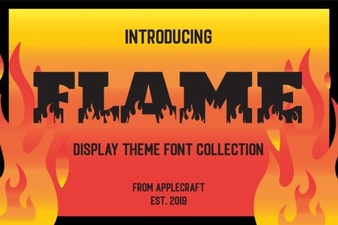 Free Flame Fonts for Dynamic Designs
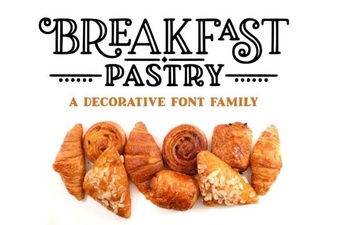 Perfect Fonts for Breakfast Pastry Recipes
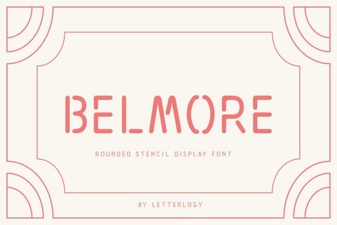 Belmore Font for Modern Creative Projects
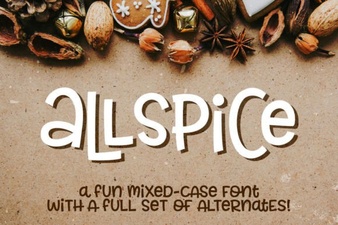 Allspice Font: Creative Typography for Design Projects
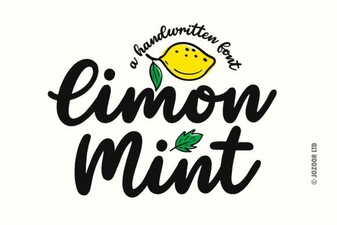 Limon Mint Font: Your Design's Creative Spark
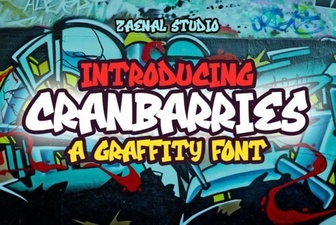 Cranbarries Font: Creative Typography for Graphic Projects